STIG checklists, filled in for you.
Stop working through STIG items by hand. ConfGoOne audits the device configuration, decides Open / Not a Finding for each STIG item it covers, adds the evidence, and exports a checklist your assessor opens straight in STIG Viewer.
What ConfGoOne checks
A sample of the real checks in ConfGoOne's rule packs — each one reported with the evidence from your file and the fix.
Evidence in every item
Each STIG item carries the configuration lines that prove its status, so the assessor can verify it without asking.
Both STIG Viewer formats
Export .ckl for STIG Viewer 2 and .cklb for STIG Viewer 3 from the same audit.
Traceable to NIST 800-53
STIG findings are linked through DISA's CCI list to NIST SP 800-53 controls — clearly marked as derived.
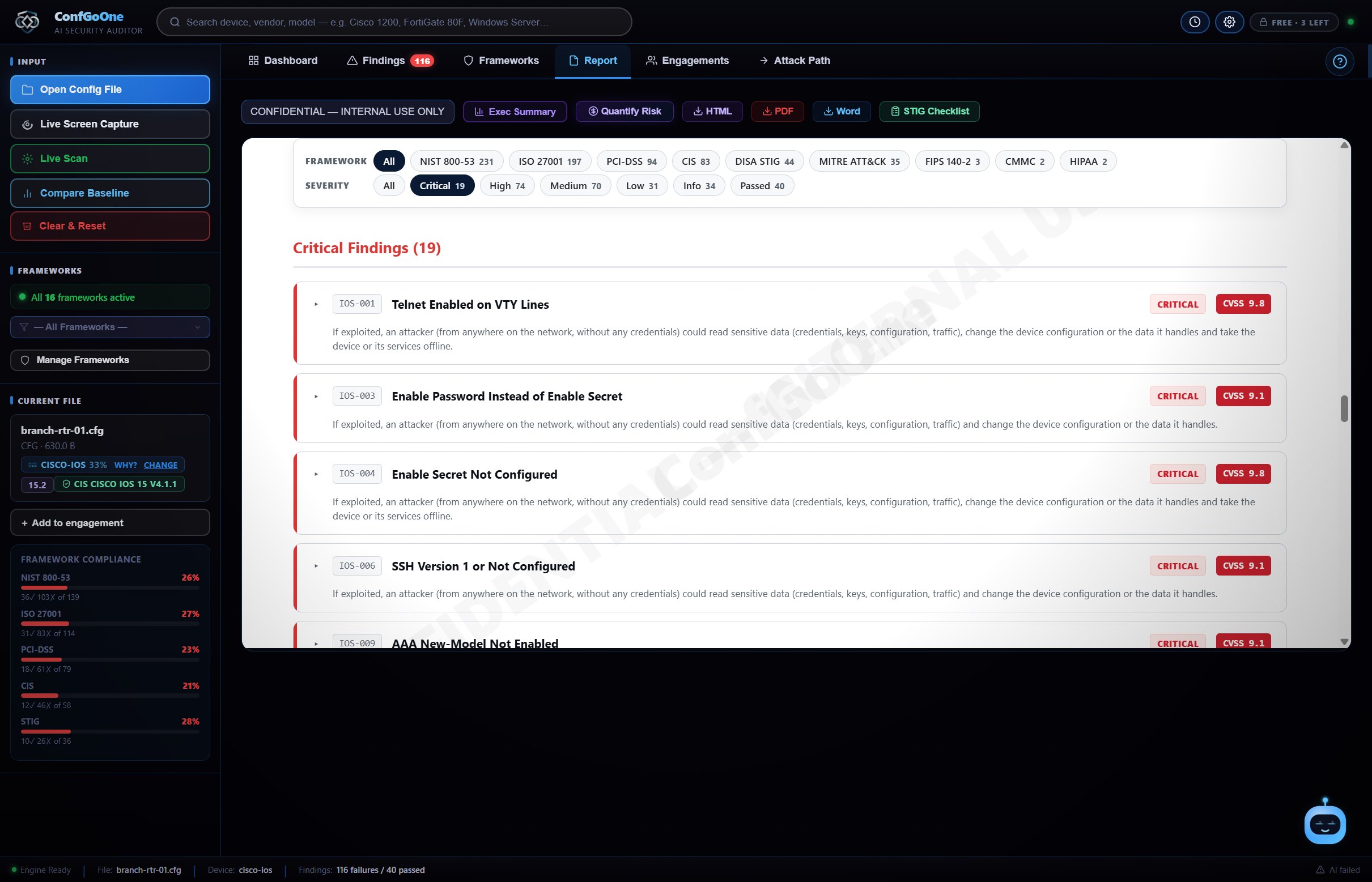
How it works
No setup, no agent, no "start scan" button.
A configuration file, a live connection or a screen capture — whichever you can get.
The device type is recognised and every setting is checked the moment the file opens.
Work through the findings with their fix commands, then export HTML, PDF, Word or a STIG checklist.
Questions
How do I create a STIG checklist automatically?
Open the device configuration in ConfGoOne, then export from the Report tab as .ckl or .cklb. Every STIG item the audit covers is set to Open or Not a Finding with its evidence attached.
What is the difference between .ckl and .cklb?
.ckl is the XML checklist format used by STIG Viewer 2. .cklb is the JSON-based format used by STIG Viewer 3. ConfGoOne exports both.
Can I import my own STIG or XCCDF content?
Yes. Pro and Enterprise can import STIG / XCCDF content or build a custom framework.
Does it replace the STIG review?
No tool replaces the assessor's judgement. ConfGoOne does the repetitive checking and evidence gathering, so the review starts from a filled-in checklist instead of a blank one.
DISA and STIG Viewer are products of the U.S. Defense Information Systems Agency. ConfGoOne is not affiliated with or endorsed by DISA.
Related
Run your first audit in the next minute.
Three free audits. No credit card, no cloud upload — your configs never leave your PC.
Download ConfGoOne →